

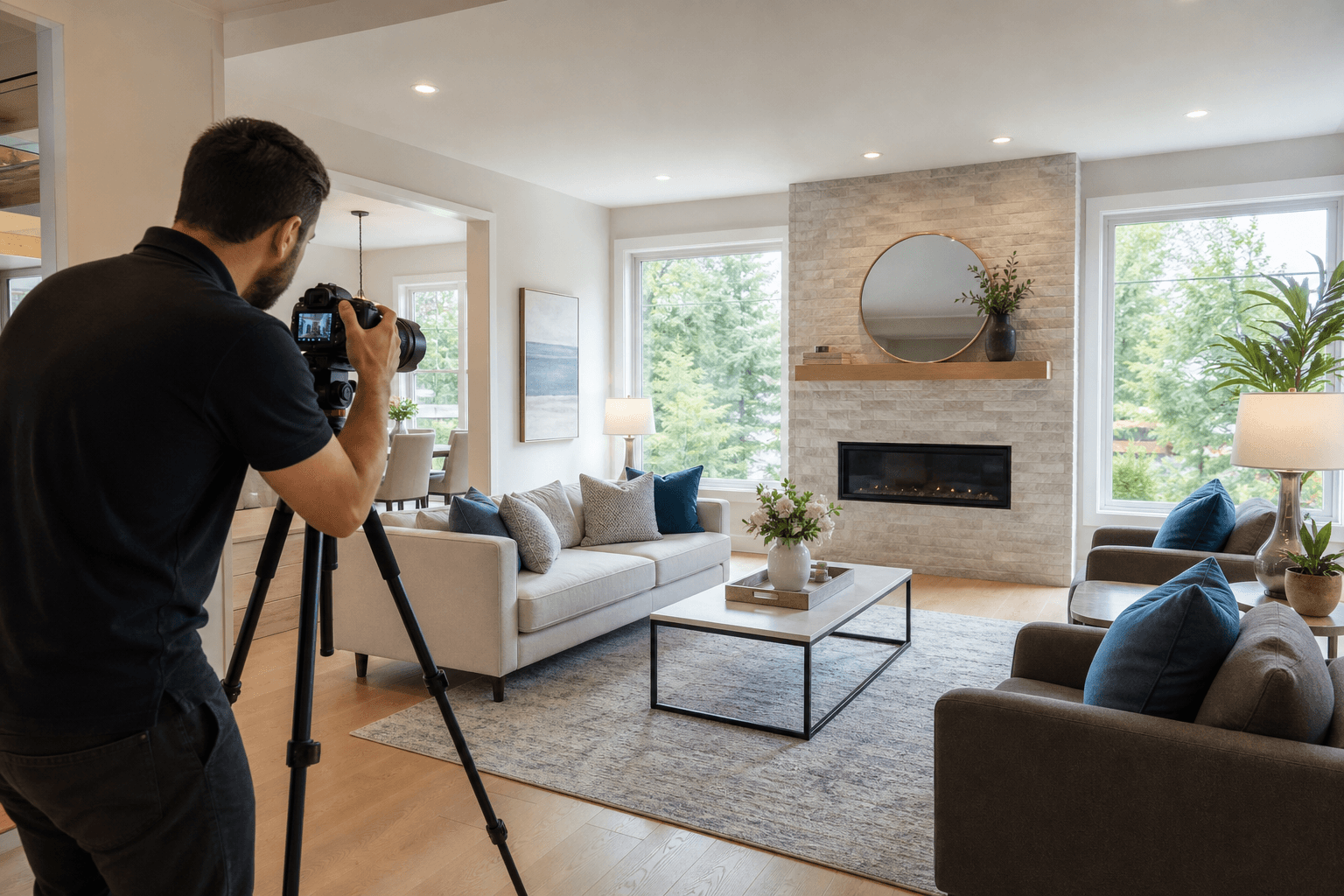
Real estate media is the coordinated set of listing visuals used to explain a property online, including HDR photos, video, 2D floorplans, and aerial coverage. Choose the mix by the buyer questions your listing must answer: photos establish condition and room coverage, floorplans explain flow, video shows movement and atmosphere, and drone media adds site and neighbourhood context.
What real estate media includes
Real estate media is more than a gallery of listing photos. It is a planned group of visual assets that helps a buyer understand what the property looks like, how it connects, and which features deserve attention.
- HDR photos: Show rooms, finishes, natural light, exterior condition, and important features in a consistent still-image set.
- Property video tours: Give viewers a sense of movement through the home and communicate atmosphere, proportions, and flow.
- Vertical video: Provides a social-first format for mobile feeds, reels, and short-form listing promotion.
- Cinematic 4K video: Creates a fuller presentation for a property that benefits from a guided visual story.
- 2D floorplans: Help buyers understand room relationships, circulation, entrances, and approximate layout before an in-person visit.
- Drone photography or video: Adds context around the lot, roof, access points, views, landscaping, and surrounding features when those details matter.
- Optional 3D tours: A navigable model can help viewers explore a property remotely, but it should be treated as a separate deliverable unless specifically included in the scope.
A listing strategy becomes easier to evaluate when these assets are considered as a system. Silver Valley Studios offers HDR photos, video tours, drone coverage, and 2D floorplans as part of its real estate media services.
Choose media by the question your listing must answer

The right deliverable resolves the buyer’s biggest uncertainty. Start with the question, then add only the asset that answers it clearly.
Choose HDR photos when buyers need to assess the property
Use HDR photography as the foundation for most listings. A strong still-image set lets buyers inspect kitchens, bathrooms, bedrooms, living areas, storage, outdoor spaces, finishes, and natural light at their own pace.
Photos are usually the minimum useful coverage for a standard home, but they do not fully explain how rooms connect. If the floorplan is unusual, the home has multiple levels, or indoor and outdoor spaces are closely related, add a 2D floorplan or video instead of simply requesting more similar angles.
Choose a 2D floorplan when layout is difficult to understand
A 2D floorplan answers a spatial question: where are the rooms, entrances, stairs, and circulation paths in relation to one another? It is especially useful for split-level homes, compact condos, multi-storey properties, and homes where furniture makes the layout harder to read.
Use a marketing floorplan to communicate arrangement and flow. Do not present it as an architectural, legal, or construction document unless that type of document has been explicitly scoped.
Choose vertical video when social media is part of the launch
Vertical video is the practical choice when your main publishing goal is a mobile-first social feed. It can give viewers a quick visual hook, highlight one feature, or create a short tour that is easier to publish than a longer horizontal edit.
Ask for vertical capture or editing planned for the format. A horizontal walkthrough simply cropped into a narrow frame may lose room context, important details, or the intended composition.
Choose cinematic 4K video when the property needs a fuller story
A good real estate video listing guides the viewer through the property with a clear sequence, stable movement, accurate representation, and a pace that lets each feature register. It should show how the home feels to move through, not just repeat a slideshow of still images. Related reading: Real estate data analysis property evaluation guide.
Cinematic video is a stronger fit for a distinctive home, a high-end presentation, a property with a compelling renovation story, or an agent who wants a substantial listing asset. It is less necessary when the home is small, visually straightforward, and marketed mainly through stills and a short social post.
Choose drone coverage when the setting is part of the property’s value
Use drone photography when buyers need to understand the lot, roofline, driveway, outbuildings, views, waterfront relationship, acreage, or nearby landscape. Aerial coverage should answer a site question that ground-level images cannot answer clearly.
For properties where lot size, views, or neighbourhood context matter, drone real estate photography can add useful information through aerial property photos and wider context. Choose viewpoints that show access, orientation, boundaries, outdoor features, or the view from the home.
Aerial coverage depends on site conditions, airspace, weather, privacy considerations, and required permissions. Treat it as a planned part of the brief, not an automatic add-on for every address.
Adapt the media brief to the property
The smallest complete media set changes with the property. Use these examples as starting points, then add a format only when it answers a real buyer question.
Standard detached home
Buyer uncertainty: Does the home present well, and how do the rooms connect?
Minimum useful set: HDR photos and a 2D floorplan. Add vertical video for an active social launch, or cinematic video if the home has a strong design, renovation, or lifestyle story.
Condo or townhouse
Buyer uncertainty: How does the unit flow, and what does the building or immediate setting add?
Minimum useful set: HDR photos covering the unit, key amenities, entry, parking or storage where relevant, and a floorplan if the layout is compact or multi-level. Add video when the building experience, views, or shared spaces need more context.
Luxury or design-led property
Buyer uncertainty: What makes the property distinctive, and how does the full experience unfold?
Minimum useful set: HDR photos, a floorplan, and a deliberate video plan. Cinematic 4K video suits architecture, materials, landscaping, views, or movement between spaces. Add aerials when the setting is a meaningful part of the story.
Rural or acreage listing
Buyer uncertainty: What is on the property, how is it accessed, and how does the land relate to the home?
Minimum useful set: HDR photos and a floorplan for the residence. Consider drone stills or video for driveways, outbuildings, fields, tree coverage, views, and the relationship between structures.
Commercial space
Buyer uncertainty: What is the scale, layout, access, and operational potential of the space?
Minimum useful set: Wide interior and exterior photography, a layout document where available, and video when movement through the space helps prospective tenants or buyers understand it. Add aerial coverage when the site, loading access, parking, surrounding development, or larger parcel is relevant.
Coordinate the assets so they tell the same story. Real estate photography and videography work better as a coordinated listing plan when room order, feature priorities, and visual tone are decided before capture.
Match the package to your listing goal
A package should connect the property’s size and marketing goal to specific deliverables. Compare the number of photos, video format, floorplan, aerial coverage, turnaround, file formats, and usage terms instead of choosing by package name alone.
| Listing goal | Useful starting point | Consider adding |
|---|---|---|
| Clear core presentation | HDR photos and a 2D floorplan | Video when the layout or atmosphere needs more explanation |
| Mobile-first launch | HDR photos and vertical video | A floorplan for compact, multi-level, or unusual layouts |
| Story-led presentation | HDR photos and cinematic 4K video | A floorplan and aerials when the property’s layout or setting is distinctive |
| Site and land clarity | HDR photos, a floorplan, and planned aerial coverage | Video when movement through the property or grounds adds useful context |
Choose the smallest combination that answers the buyer’s main questions. Drone coverage, additional property types, and optional 3D tours should be scoped separately unless the selected package expressly includes them. Provide the address and approximate square footage before comparing quotes.
How a coordinated real estate media booking works

A practical workflow has three stages: choose the services, attend one appointment, and receive edited assets prepared for MLS, social media, and print. Photos, video, drone coverage, and measurements can be planned for one visit when the property and scope support that approach.
1. Choose services from the listing brief
Start with the property address, approximate size, property type, launch date, and publishing channels. Decide whether the listing needs stills only, stills plus a floorplan, social video, cinematic video, aerial context, or a combination.
2. Prepare for one appointment
A coordinated appointment can reduce repeated cleaning, seller disruption, access arrangements, and scheduling between separate providers. It also lets the media team capture the assets as one visual story.
3. Capture the planned assets
Capture should follow the priorities in the brief: room coverage for photos, a logical route for video, measurements for the floorplan, and defined exterior viewpoints for aerial work.
4. Edit and deliver for publication
Post-production turns the captured material into finished listing assets. A complete workflow should state how files are edited, formatted, named, and delivered for MLS, social media, and print.
When comparing providers, assess more than the sample gallery. Compare whether each one explains deliverables, coordinates the appointment, states the delivery sequence, and matches the plan to your launch deadline.
Prepare the property and access plan
A good media appointment begins with a clear property brief and reliable access.
- Confirm the scope: Provide the address, approximate square footage, property type, launch date, selected deliverables, and features needing dedicated coverage.
- Prioritise rooms and features: Identify renovations, views, outdoor living spaces, storage, parking, outbuildings, amenities, or commercial functions.
- Declutter without hiding information: Remove distractions without concealing material property features or creating an inaccurate impression.
- Arrange complete access: Confirm keys, lockboxes, gates, garages, storage rooms, amenity areas, and exterior areas in the brief.
- Plan for occupants and pets: Decide where people and animals will be during the appointment, and advise the media team about privacy constraints.
- Identify exterior priorities: Note the best views, driveway approach, lot boundaries, outbuildings, landscaping, and outdoor features before requesting aerial coverage.
- Prepare for changing conditions: Outdoor coverage depends on weather and site conditions, so identify essential and optional exterior assets.
Understand delivery timing and publishing readiness
Set a delivery sequence before the appointment so your listing launch has time for review and publishing. A useful sequence separates photo, floorplan, video, and aerial deliverables, then leaves room for your brokerage or platform checks.
- MLS: Select the primary listing photos, supporting room images, floorplan, and any video accepted by the platform and brokerage workflow.
- Social media: Use vertical video, short cuts, selected stills, and accurate captions.
- Website: Organise the complete image set, video, floorplan, and any optional 3D-tour link.
- Print: Use the supplied finished assets for feature sheets or other marketing pieces, then confirm suitability for the intended application.
File dimensions, licensing terms, hosting, revision policies, and platform-specific requirements are not universal. Confirm any detail that affects your MLS, brokerage, website, advertising campaign, or print order before publication.
Build a clear media brief before requesting a quote
A provider can recommend a more suitable scope when the request includes the property details and the job each asset must do. Send these points in one message:
- Property address and approximate square footage.
- Property type, including condo, detached home, acreage, luxury property, or commercial space.
- Target launch date and any fixed showing or campaign deadline.
- Publishing channels: MLS, social media, website, print, or paid advertising.
- Required deliverables: HDR photos, 2D floorplan, vertical video, cinematic 4K video, drone photography or video, or optional 3D tour.
- Features needing special attention, such as views, outbuildings, renovations, amenities, access, or outdoor spaces.
- Access constraints, occupied rooms, pets, gates, parking, weather concerns, or privacy requirements.
- Whether an agent introduction or short social cut is part of the video plan.
For a closer look at how scope, property size, deliverables, and turnaround affect a quote, review the guide to real estate photography pricing.
Choose your next step
If you have defined the property, launch date, publishing channels, and required deliverables, explore Silver Valley Studios Inc.’s real estate photography services to plan the next stage of your listing.