

Last updated: October 2026
Key takeaway:A realtor videographer plans, films, and edits property video so buyers can understand a home’s layout, features, and setting before booking a showing. For a Maple Ridge listing, the strongest brief usually combines a clear walkthrough with platform-ready vertical clips, and adds drone or floorplan visuals only when they improve the buyer’s understanding.
By Sumeet S. - Founder & CEO, Silver Valley Studios Inc.
Last updated: October 28, 2026
The phrase “realtor videographer” is common buyer and agent wording, but it is not a formal British Columbia licence, qualification, exam, or regulated service category. You may also see “real estate videographer,” “listing videographer,” or “real estate media provider.” The practical question is the same: can the provider turn a property into accurate, useful video that an agent can publish confidently?
In this guide
- What a realtor videographer does
- How to choose the right provider
- Planning a Maple Ridge listing shoot
- Real estate video formats and deliverables
- The production workflow
- Property and agent preparation checklist
- Editing, accessibility, and BC advertising considerations
- Frequently asked questions
What does a realtor videographer do?
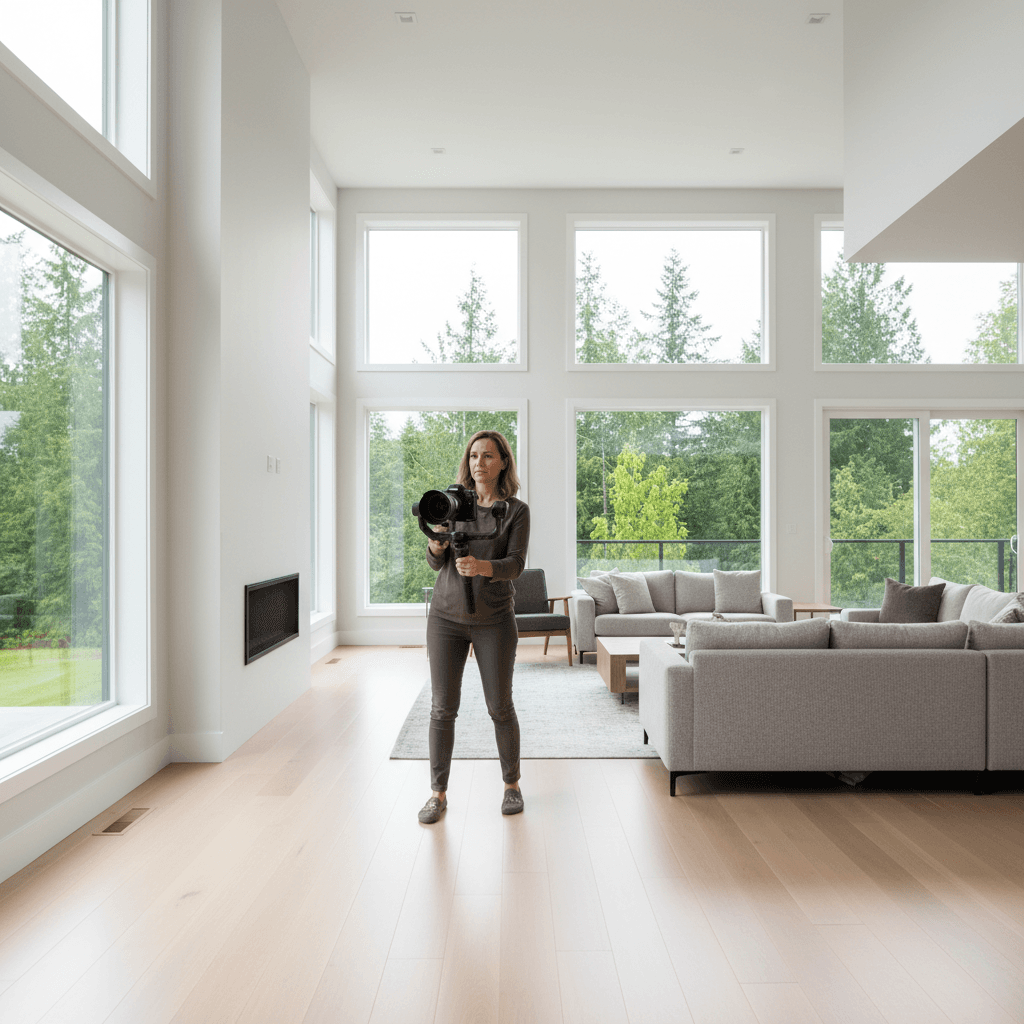
A realtor videographer creates video for a property listing, from the initial brief through filming, editing, captions, and delivery. The work is more than moving a camera through rooms. A good provider decides what the viewer needs to understand, chooses a logical route through the home, controls exposure and movement, and prepares files for the places where the agent will publish them.
That distinction matters because a visually attractive clip can still be unhelpful. If the sequence jumps between floors, hides the relationship between rooms, or makes a small space appear misleadingly large, it may generate attention without building buyer confidence. The goal is an appealing but honest sense of the property.
Typical responsibilities
- Discovery: identify the property’s audience, strongest features, constraints, and intended channels.
- Story planning: decide the route, opening image, feature order, transitions, and optional narration.
- Capture: record stable movement, room details, exterior context, agent presentation, and supporting audio.
- Post-production: select takes, balance colour and exposure, edit pacing, add music or voiceover, and create captions.
- Delivery: export the requested aspect ratios and resolutions with clear filenames and a review process.
Silver Valley Studios Inc. is based in Maple Ridge and produces real estate photos, cinematic video tours, 2D floorplans, vertical videos, and drone coverage. A coordinated package can help an agent keep the visual treatment consistent across a listing page, social posts, and other marketing materials.
How to choose a realtor videographer
Start with the listing rather than with a camera specification. A compact condo, a large detached home, a development property, and a rural or view property may need different coverage. Ask each provider to explain how the proposed video will help a buyer understand this particular home.
Questions to ask before booking
- What is included in the shoot: walkthrough video, agent-led sections, vertical edits, drone, voiceover, or floorplan integration?
- Which final formats will be delivered, and are they supplied as separate files rather than cropped after the fact?
- How will the provider handle mixed indoor lighting, windows, mirrors, narrow rooms, and difficult transitions?
- Who supplies the script, music, captions, and brand graphics?
- How many review rounds are included, and how are revisions submitted?
- What is the expected delivery sequence for the master, social clips, captions, and thumbnails?
- How will the provider coordinate access, pets, occupants, staging, and weather-sensitive exterior footage?
What to assess in a portfolio
Look for continuity, not only dramatic opening shots. Watch whether the camera moves at a comfortable speed, whether rooms are shown in an understandable order, and whether windows retain detail instead of becoming white shapes. Check that the edit gives important features enough time to register and that music does not overpower spoken information.
Also inspect vertical examples if social distribution is part of the plan. A vertical edit should be composed deliberately: the subject should remain visible after cropping, captions should not cover key features, and the first few seconds should establish what property the viewer is seeing. A provider’s real estate video portfolio can help you evaluate those choices before you write a brief.
When a bundled media service makes sense
Bundling can be useful when the listing needs photographs, video, drone, and a measured floorplan on the same timeline. One team can coordinate room preparation, visual style, and the order in which the property is presented. It is not automatically the best choice for every listing, so confirm which deliverables are genuinely included and which are optional.
For a broad overview of available property media services, review the studio’s real estate media services before requesting a shoot. A specific written brief is still important: a service page describes capabilities, while the brief defines the property, audience, timing, and outputs.
How should you plan a Maple Ridge listing video?
Maple Ridge properties often benefit from video that connects the interior to the lot and surrounding setting. Whether the home has a large yard, a deck, garage storage, a basement, or an indoor-outdoor route, the edit should show how those features relate to daily movement. Avoid adding local claims that the footage cannot support; show the property and describe only verified location details in the listing copy.
Planning also needs to account for the wider service area. Silver Valley Studios serves communities including Mission, Langley, Surrey, Coquitlam, Burnaby, Richmond, Abbotsford, and Chilliwack. Travel, access windows, daylight, occupancy, and weather can affect the shot plan, so confirm the municipality and property conditions when booking.
Choose the buyer question first
Before filming, write down the three questions a serious buyer is most likely to ask. For a detached Maple Ridge home, those might concern the relationship between the entry and main living area, the route from the kitchen to outdoor space, or how the lower level connects to the rest of the home. For a condo, they may concern circulation, storage, natural light, and the kitchen’s usable space.
Those questions determine the shot order. They also prevent the common mistake of producing a collection of attractive room clips that never gives viewers a mental map.
Schedule for the property, not a generic formula
Interior timing should follow the direction and quality of light, occupancy, and the agent’s launch schedule. Exterior and drone footage depends on weather, visibility, wind, and safe operating conditions. If the listing depends on a deck, garden, view, or wooded setting, leave enough flexibility to capture it clearly rather than treating exterior footage as an afterthought.
For weekend launches, the agent may want a vertical teaser before the full listing package is published. Confirm the release sequence in advance so the videographer knows whether the first cut is a preview, a complete tour, or both. Do not promise a particular turnaround unless the provider has confirmed it for that shoot.

Which real estate video format should you choose?
The right format depends on the property, the audience, and the publishing channel. A single master can support several edits, but every version should be planned so that cropping and pacing do not damage the story.
| Format | Best use | Planning decision |
|---|---|---|
| Cinematic walkthrough | Showing room relationships, finishes, and overall flow | Use a logical route and measured movement rather than a sequence of disconnected reveals. |
| Agent-led tour | Adding a personal introduction or feature explanation | Prepare short lines and record clean audio in a quiet part of the home. |
| Voiceover tour | Explaining a complex layout without keeping the agent on screen | Write narration after the route is agreed so the words match what viewers see. |
| Vertical reel | Short-form social distribution | Compose for 9:16, place the hook early, and keep captions clear of important details. |
| Drone sequence | Showing lot position, roofline, views, and outdoor context | Use it only when the surrounding context improves understanding and safe operation is possible. |
| Floorplan-supported edit | Orienting viewers in a multi-level or unusual layout | Use a brief plan transition or overlay that agrees with the supplied floorplan. |
Widescreen master
A 16:9 master is useful for websites, presentations, and listing environments that support landscape video. It gives the editor room to show architecture and room width, but it should not be stretched to fill a vertical feed. Ask whether the master is supplied at the resolution and file type required by the publishing platform.
Vertical social edit
A 9:16 edit should be treated as its own composition. A strong opening may show the exterior, a distinctive feature, or the agent’s concise introduction. Captions help when sound is off, but they should be short enough to read and positioned so they do not obscure countertops, fixtures, faces, or room labels.
Drone and exterior context
Drone footage can clarify a large lot, a view, an outdoor living area, or the relationship between a home and its immediate setting. It should not imply proximity, access, or a view that the footage does not establish. Confirm who is responsible for the operation and how the provider handles applicable aviation and property-safety requirements.
What is the realtor videographer workflow?
A repeatable workflow reduces missed features and makes review easier. The exact schedule will vary by property, but these stages create useful checkpoints for an agent and seller.
1. Discovery brief
Share the address, access instructions, target audience, listing timeline, property facts, hero features, restrictions, and required platforms. Identify anything that must not be shown, such as personal documents, valuables, children’s belongings, or neighbouring private areas. Confirm whether the agent will appear on camera and who has authority to approve the final edit.
2. Property preparation
Decluttering is not merely cosmetic. Clear paths allow safer camera movement, while consistent bulbs and open-but-controlled blinds make exposure easier. Remove reflective or private items that could appear in mirrors, glass, desks, or refrigerator doors.
3. Shot plan
Organize the route from context to orientation to detail. A typical sequence may begin with an exterior or entry, establish the main living area, explain the kitchen and circulation, then cover bedrooms, utility spaces, and outdoor areas. The route should change when the architecture demands it; a formula is less important than clarity.
4. Capture
Record a mixture of moving wides, stable details, transitions, and room-specific cutaways. Allow enough time at the beginning and end of each take for editing. Record clean room tone and agent audio separately when possible, and check footage during the shoot rather than discovering a focus or exposure problem later.
5. Edit and version
The editor assembles the story, balances colour, adjusts sound, adds approved music or narration, and creates platform versions. Ask for a 16:9 master and a deliberately composed 9:16 cut when both are needed. If floorplans, captions, logos, or property text are included, provide the correct source information before editing.
6. Review and delivery
Give consolidated feedback from one decision-maker. Comments such as “make it feel more luxurious” are difficult to action; notes such as “show the connection between the kitchen and deck earlier” are specific. Before publishing, check names, property facts, captions, logos, room order, audio, and the final call to action.
What should an agent and seller prepare?
Home preparation checklist
- Remove clutter from counters, floors, stairs, entryways, and work surfaces.
- Hide personal documents, medication, valuables, pet supplies, bins, and loose cables.
- Align chairs, cushions, bedding, artwork, and dining settings.
- Use consistent bulbs where possible and replace failed bulbs before the shoot.
- Open blinds consistently, clean visible glass, and decide whether privacy screens need adjustment.
- Secure pets and arrange access to garages, storage rooms, yards, balconies, and utility areas.
- Tell the crew about alarms, fragile objects, restricted rooms, renovations, or areas that cannot be filmed.
Agent preparation checklist
- Write three short points: who the home suits, what makes it distinctive, and which feature deserves emphasis.
- Prepare accurate property facts and confirm spelling for the address, neighbourhood, schools, amenities, and measurements before they appear on screen.
- Choose clothing without distracting patterns if appearing on camera.
- Practice concise lines rather than reading a long paragraph; short phrases are easier to retake.
- Decide who gives final approval and collect all feedback in one review.
Safety and privacy checklist
Walk the route before filming and identify slippery surfaces, low ceilings, stairs, cords, and crowded areas. Avoid recording private information visible on screens, paperwork, mail, or whiteboards. Drone or exterior work should be planned around people, vehicles, neighbouring privacy, weather, and the provider’s operating responsibilities.

How should listing video be edited and published?
Editing should make the property easier to understand, not replace accurate presentation with effects. Keep movement, colour, and exposure consistent across rooms. Use music at a level that supports the edit without covering narration, and remove shots that create an inaccurate impression of size, condition, access, or outlook.
Accessibility and platform basics
- Include captions for spoken content so the message remains available when sound is muted.
- Use readable text with enough contrast and sufficient screen time.
- Keep important information away from platform interface areas and avoid placing captions over key property details.
- Supply a landscape master and a separate vertical edit when both channels matter.
- Use descriptive filenames and retain a final approved version so the team does not publish an earlier draft.
Accuracy and British Columbia advertising
Real estate video is advertising, so the agent and brokerage should review statements and on-screen claims before publication. Do not add a feature, measurement, view, amenity, or neighbourhood impression merely because it makes the edit more persuasive. In British Columbia, the applicable rules require real estate advertising to display the licensee name of the brokerage prominently and prohibit advertising that the licensee knows, or reasonably ought to know, contains a false or misleading statement. Review the British Columbia real estate services advertising rules with the responsible brokerage before release.
The videographer can help flag visual ambiguity, but the agent and brokerage remain responsible for approving advertising claims and required identification. Establish this approval step before the shoot so corrections do not delay a scheduled launch.
A practical review checklist
- Does the route match the floorplan and the property’s actual layout?
- Are room names, measurements, feature descriptions, and captions accurate?
- Does the edit show transitions that a buyer needs to understand?
- Are faces, documents, screens, addresses, and neighbouring private areas handled appropriately?
- Are music, logos, images, and other assets cleared for the intended use?
- Do the final files play correctly on the intended channels?
What tools and deliverables matter?
The best tool is the one that supports the story and the property’s constraints. A stabilized camera can make a walkthrough comfortable to watch, while a tripod or locked-off shot may communicate architecture more clearly. Audio equipment matters whenever an agent or voiceover carries information. Lighting control, careful exposure, and a disciplined edit generally matter more than a long equipment list.
Useful production components
- A camera system capable of the agreed resolution and aspect ratios.
- Stabilization for walking sequences and a tripod for steady detail shots.
- External microphone options for agent-led sections and voiceover.
- Spare batteries, media, and a monitoring process for checking takes.
- Editing software that supports colour correction, captions, audio mixing, and multiple exports.
- A delivery system with clear version names and a defined approval trail.
Deliverables to specify in writing
Ask for the exact number of videos, their intended aspect ratios, approximate runtimes, caption treatment, music or voiceover inclusion, thumbnail requirements, and revision limits. If the property includes a complex layout, specify whether the floorplan is supplied by the agent or created as part of the media package. If drone footage is requested, specify whether it is a short establishing sequence or a substantial part of the final tour.
These details prevent a mismatch between a general “video package” and the assets the listing actually needs. They also let the agent compare proposals based on useful outputs rather than equipment names alone.
Frequently asked questions about realtor videographers
What is the difference between a realtor videographer and a real estate videographer?
In everyday search and buyer language, the terms usually describe the same type of provider: someone who creates video for property marketing. “Real estate videographer” and “listing videographer” are more precise descriptions of the service, while “realtor videographer” is not a formal British Columbia qualification or regulated category.
How long should a real estate listing video be?
There is no single correct runtime. A short vertical edit may focus on a few strong scenes, while a complete walkthrough needs enough time to explain the layout without dragging. Choose the duration after deciding what buyers need to understand, then remove repetition and keep the pacing comfortable.
Should every listing include drone video?
No. Drone footage is most useful when exterior context changes how a buyer evaluates the property, such as a large lot, view, roofline, or outdoor setting. It is less valuable when it adds a generic aerial opening without helping viewers understand the home, and it must be planned around safe and applicable operating requirements.
Do agents need both landscape and vertical video?
Request both when the listing will appear in landscape environments and vertical social feeds. A vertical version should be composed for that frame rather than simply cropped from the landscape master. If the budget or schedule allows only one version, choose based on the channels that will actually carry the listing.
Plan your next property video
A strong realtor videographer brief connects the property, buyer questions, filming route, deliverables, review process, and publishing requirements. For a Maple Ridge listing, decide first whether buyers need help understanding the interior flow, the outdoor setting, the local context, or all three. Then choose only the formats and supporting media that answer those needs accurately.
Silver Valley Studios Inc. can coordinate real estate photography, cinematic video tours, vertical edits, drone coverage, and 2D floorplans for listings in Maple Ridge and surrounding communities. Contact Silver Valley Studios to discuss the property, timeline, and deliverables before booking.